IDP vs OCR: Complete Comparison Guide 2026
IDP vs OCR explained: OCR extracts text from images, IDP adds AI classification, data extraction and workflow automation. Architecture and cost.
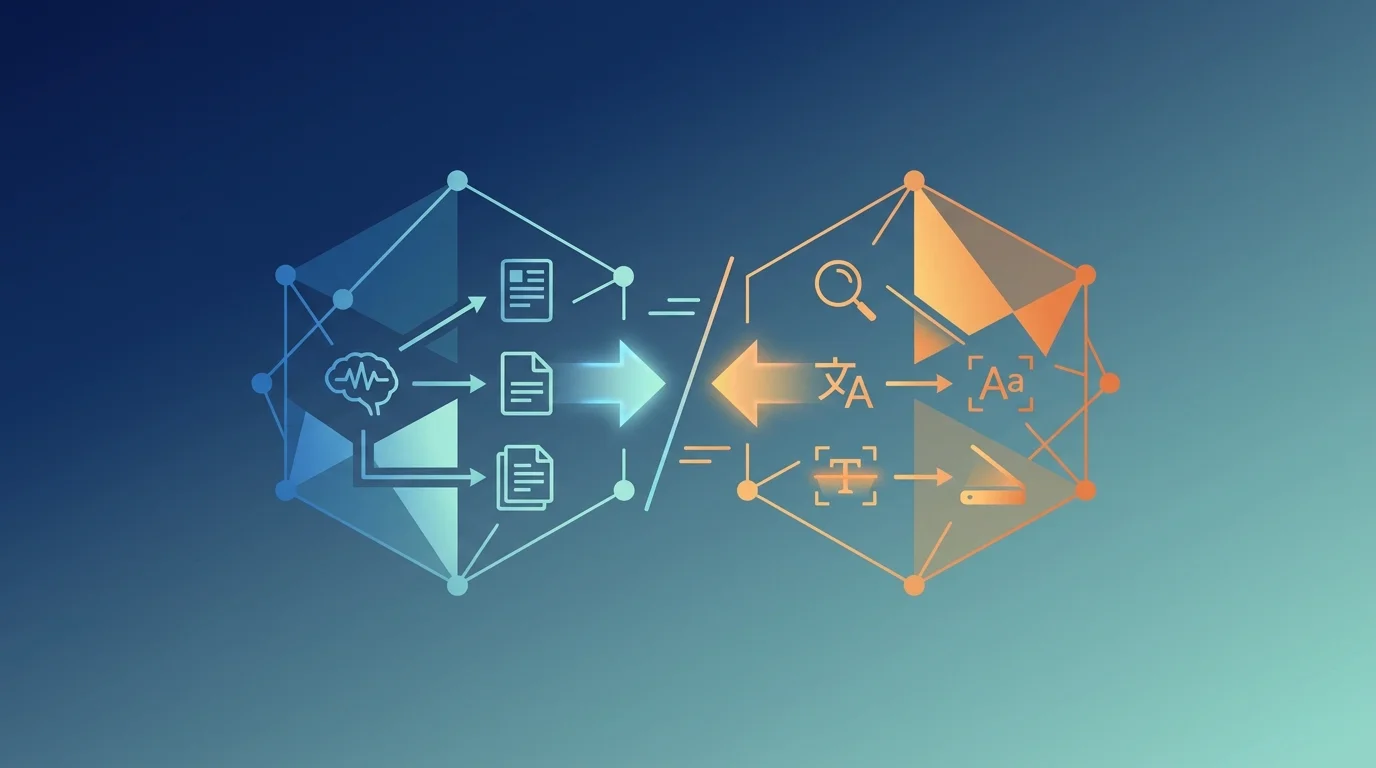
TL;DR: OCR (Optical Character Recognition) converts document images into machine-readable text through pattern recognition and computer vision. IDP (Intelligent Document Processing) is a complete pipeline that uses OCR as one component, then adds AI-powered classification, structured data extraction, validation, and workflow automation. OCR answers "what text is on this page," while IDP answers "what is this document, what facts does it contain, and what should happen next." Choose OCR when you need basic text extraction. Choose IDP when documents require understanding context, extracting structured data, or triggering downstream actions.
Key Takeaways
- OCR is a technology that extracts text from images using computer vision and pattern recognition, producing unstructured text output from scanned or photographed documents.
- IDP is an end-to-end system that orchestrates OCR, document classification, data extraction, validation, and business logic to transform unstructured documents into structured, actionable data.
- Modern OCR achieves 95-99% accuracy on clean documents but drops to 70-85% on poor-quality scans, handwriting, or complex layouts like tables and forms.
- IDP pipelines combine OCR with large language models for classification (document type, page-level categories), named entity recognition for data extraction, and rules engines for validation and routing.
- OCR costs $0.0015-$0.01 per page depending on complexity, while complete IDP solutions range from $0.05-$0.50 per document including classification, extraction, and human-in-the-loop validation.
- OCR is sufficient for digitization and search indexing, while IDP is necessary for invoice processing, claims adjudication, contract analysis, and any workflow requiring structured data extraction and downstream automation.
What Is OCR?
Optical Character Recognition (OCR) is a computer vision technology that converts images of text into machine-readable character strings. When you scan a paper document or photograph a receipt, the result is an image file — a grid of pixels with no semantic understanding of the text. OCR analyzes those pixels, identifies character shapes, and outputs the corresponding text.
How OCR Works
Modern OCR systems operate in four stages:
- Preprocessing — image cleanup, deskewing, noise reduction, binarization (converting to black and white), and contrast enhancement to improve recognition accuracy.
- Text Detection — identifying regions of the image that contain text vs. images, logos, or blank space. This stage segments the page into text blocks, lines, and individual character bounding boxes.
- Character Recognition — pattern matching each character shape against trained models. Legacy OCR used template matching (comparing pixel patterns to character templates). Modern OCR uses deep learning models trained on millions of labeled character images to recognize shapes even with font variations, distortions, and noise.
- Post-Processing — applying language models and dictionaries to correct obvious errors. If OCR reads "rec0gnition" with a zero instead of an "o," the post-processor corrects it based on word probability. This stage also applies formatting heuristics to preserve layout, paragraphs, and reading order.
The output is plain text, often with optional metadata like bounding boxes (x,y coordinates of each word), confidence scores (0-100% certainty), and reading order.
OCR Accuracy and Limitations
OCR accuracy depends heavily on input quality:
Common OCR failures:
- Character confusion — "1" vs "l", "0" vs "O", "8" vs "B", "5" vs "S"
- Word concatenation — "hello world" becomes "helloworld" when spacing is unclear
- Layout collapse — tables become linear text with no structure
- Missing content — light text, low contrast, or small fonts ignored
- Hallucination — artifacts or noise interpreted as text
OCR Technology Stack
Popular OCR engines and their characteristics:
When OCR Alone Is Sufficient
OCR by itself solves these use cases:
- Digitization for archival — converting paper records to searchable digital files without needing structured data.
- Search indexing — making scanned PDFs searchable by extracting text for full-text search engines.
- Accessibility — enabling screen readers to read scanned documents.
- Simple data entry — manually reviewing OCR output to copy-paste values into forms.
- Document previews — displaying text overlays on scanned images for user inspection.
In these scenarios, you need text extraction but no understanding of what the text means, how it relates to other fields, or what actions to take based on content.
What Is IDP?
Intelligent Document Processing (IDP) is an end-to-end pipeline that ingests unstructured documents and outputs structured, validated, actionable data. IDP treats documents as workflows, not just text: it classifies document types, extracts specific fields, validates data against business rules, routes documents to appropriate handlers, and triggers downstream processes.
How IDP Works
A production IDP pipeline typically includes these stages:
1. Document Ingestion
Documents arrive via upload, email attachment, API submission, or automated scanner integration. The system stores the raw file (PDF, JPEG, TIFF) in object storage and creates a processing job with metadata (source, timestamp, priority).
2. OCR (Text Extraction)
The IDP pipeline invokes an OCR engine to extract text from each page. This is the same OCR technology described above — IDP doesn't replace OCR, it orchestrates it. The OCR output (text, bounding boxes, confidence scores) is stored separately from the original document for downstream stages.
3. Document Classification
An AI model (typically a fine-tuned LLM or specialized document classifier) determines the document type: invoice, receipt, contract, medical record, legal filing, bank statement, etc. Classification can be:
- Document-level — one label for the entire file (e.g., "Purchase Order")
- Page-level — a label for each page in multi-page bundles (e.g., page 1: invoice, page 2: itemization, page 3: terms and conditions)
- Hierarchical — document type → primary category → sub-category (e.g., Medical Record → Progress Note → Physician Note)
Classification uses the OCR text, layout features (tables, headers, logos), and sometimes computer vision on the original image to identify visual patterns (letterheads, signatures, stamps).
4. Data Extraction
Once the document type is known, the system applies extraction logic to pull structured fields. For an invoice, this means:
- Invoice number, date, due date
- Vendor name, address, tax ID
- Line items (description, quantity, unit price, total)
- Subtotal, tax, total amount
Extraction techniques:
- Template-based — predefined rules for known layouts (e.g., "invoice number is always in top-right corner")
- Key-value extraction — finding "Invoice #:" and extracting the adjacent value
- LLM-based extraction — prompting a language model to identify fields from unstructured text
- Table parsing — detecting tables in OCR output and extracting rows/columns as structured data
5. Validation and Enrichment
Extracted data is validated against business rules:
- Format validation — dates are valid dates, amounts are numeric, emails match regex patterns
- Cross-field validation — line item totals sum to the subtotal, tax calculation is correct
- External validation — vendor name matches a known vendor database, PO number exists in the ERP system
- Confidence filtering — fields below a confidence threshold are flagged for human review
Enrichment adds context:
- Looking up vendor details from a master database
- Converting currencies or units
- Geocoding addresses
- Linking to related documents (e.g., this invoice matches PO #12345)
6. Human-in-the-Loop (HITL) Review
Documents or fields flagged as low-confidence are routed to human reviewers. A review interface shows the original document alongside extracted fields. Reviewers correct errors, and those corrections are used to retrain models.
7. Workflow Routing and Action
Validated documents trigger downstream actions:
- ERP integration — posting invoices to accounting systems
- Approval workflows — routing contracts to legal review
- Case management — filing medical records under patient charts
- Payment processing — initiating ACH transfers for approved invoices
- Analytics — aggregating extracted data for reporting dashboards
This is the "intelligent" part of IDP: the system knows what to do with each document type based on extracted fields and business logic.
IDP Architecture Pattern
Each stage is typically a separate microservice or Lambda function. Stages communicate via message queues (SQS, RabbitMQ) or event buses (EventBridge, Kafka). State is stored in a database (PostgreSQL, DynamoDB) so the pipeline can recover from failures and track processing history.
IDP vs OCR: Side-by-Side Comparison
When to Choose OCR
Choose OCR alone when:
Digitization Without Automation
Your goal is to convert paper documents into digital files for storage or search, with no requirement to extract specific fields or trigger actions. Example: scanning a 20-year archive of meeting notes into a document management system where employees will search by keyword but don't need structured metadata.
Content Is Consumed by Humans
The OCR output will be read by humans who can interpret the text without needing structured data. Example: making a scanned contract searchable so a lawyer can Ctrl+F for "termination clause," but the contract isn't processed by software.
Single Document Type with Stable Layout
You have a high volume of documents with identical layout (e.g., lab test results with the same template), and simple scripting can extract fields from the OCR output using fixed coordinates or regex patterns. This is the edge case where OCR + basic scripting is cheaper than a full IDP pipeline.
No Downstream Integration
The document doesn't need to trigger any automated action. It's an endpoint, not part of a workflow.
When to Choose IDP
Choose IDP when:
High-Volume Document Workflows
You process thousands of documents per day (invoices, claims, applications, contracts) where manual data entry is the bottleneck. IDP automates 80-95% of processing, routing only ambiguous cases to humans.
Multiple Document Types
You receive a mix of document types in a single intake channel (e.g., a shared email inbox gets invoices, receipts, contracts, and correspondence). IDP classifies each document and routes it to the appropriate extraction logic.
Structured Data Extraction Is Required
Downstream systems (ERP, CRM, databases) need specific fields in specific formats. Example: an invoice must be parsed into line items with SKUs, quantities, and prices to post to an accounting system.
Validation and Business Rules
Extracted data must be validated before use. Example: insurance claims must check that procedure codes match diagnosis codes, that dates are consistent, and that amounts are within policy limits.
Workflow Automation
Documents trigger automated actions: invoices route to approval workflows, contracts generate notifications, medical records update patient charts. IDP provides the orchestration layer to connect document processing to business processes.
Human-in-the-Loop for Edge Cases
You need a hybrid system where most documents auto-process but ambiguous cases escalate to human reviewers. IDP platforms provide review interfaces and confidence scoring to identify which items need attention.
How Do OCR and IDP Integrate?
IDP doesn't replace OCR — it uses OCR as a foundational component. The relationship:
OCR is stage 2 of a 7-stage pipeline. You choose an OCR engine based on accuracy, cost, and integration requirements, then build the IDP pipeline around it.
Example: Invoice Processing
Using OCR alone:
- Scan invoice → OCR extracts text
- Human reads OCR output
- Human types data into accounting system
Using IDP:
- Upload invoice → OCR extracts text (automated)
- LLM classifies as "Vendor Invoice" (automated)
- Extraction model pulls invoice number, date, vendor, line items (automated)
- Validation checks totals, flags mismatches (automated)
- High-confidence invoices post to accounting system (automated)
- Low-confidence invoices route to AP clerk for review (human-in-the-loop)
- Approved invoices trigger payment workflow (automated)
The OCR step is identical in both flows. IDP adds the intelligence and automation around it.
What Are the Cost Differences?
OCR and IDP are priced for different things: OCR bills per page for text extraction, while IDP bills for the whole pipeline including classification, extraction, and validation. That makes the build-versus-buy calculation the real question.
OCR Pricing
Typical OCR cost for production: $0.002-0.01 per page depending on complexity (plain text vs. tables/forms).
For 100,000 pages/month: $200-1,000/month for OCR alone.
IDP Pricing
IDP platforms charge for the complete pipeline, not just OCR:
Typical IDP cost for production: $0.05-0.50 per document including classification, extraction, validation, and HITL review.
For 100,000 invoices/month: $5,000-50,000/month for a complete IDP solution.
The 50-250x cost difference reflects the full pipeline: OCR is 10-20% of total IDP cost. The majority goes to classification (LLM inference), extraction (LLM or custom models), validation logic, human review interfaces, and orchestration infrastructure.
Build vs Buy ROI
Build your own IDP:
- Lower per-document cost ($0.05-0.15)
- High upfront engineering investment (3-6 months, $150K-500K)
- Full control over accuracy, customization, data privacy
- Ongoing maintenance (model retraining, pipeline updates)
Buy a platform:
- Higher per-document cost ($0.10-0.50)
- Faster time-to-value (weeks, not months)
- Less control, vendor dependency
- No maintenance burden, automatic improvements
Break-even analysis: if you process >500K documents/year, building is often cheaper long-term. Below 100K/year, buying is almost always better.
What Technology Powers Modern IDP?
An IDP platform is a stack of five layers, each with its own choices: OCR, classification, extraction, validation, and orchestration.
OCR Layer
IDP pipelines use cloud OCR APIs (Google Vision, Textract, Azure) or on-premise engines (Tesseract, ABBYY) depending on data privacy requirements.
Classification Layer
Document classification typically uses:
- Fine-tuned BERT models — trained on labeled document datasets, fast inference, 90-95% accuracy
- LLM zero-shot classification — GPT-4, Claude, or Gemini prompted with document text, 85-92% accuracy without training
- Ensemble models — combining visual features (layout, logos) with text features for 95-98% accuracy
Extraction Layer
Field extraction uses:
- Template-based rules — regex, coordinate-based extraction for known layouts (fast, brittle)
- Key-value extraction — finding labels like "Invoice #:" and extracting adjacent values (Textract Forms, Azure Forms Recognizer)
- LLM-based extraction — prompting Claude/GPT with "Extract invoice number, date, total" and JSON schema (flexible, higher cost)
- Fine-tuned NER models — named entity recognition models trained on document-specific entities (fastest, requires training data)
Validation Layer
Validation combines:
- Rule-based validation — regex for formats, range checks, required field checks
- Cross-field validation — "if field A is X, then field B must be Y"
- External API validation — lookup vendor in database, verify PO exists
- LLM-based validation — "Does this extracted data seem correct given the document context?"
Orchestration Layer
IDP pipelines run on:
- AWS Step Functions + Lambda (serverless, event-driven)
- Airflow + Kubernetes (workflow orchestration, scalable)
- Temporal (durable workflow engine, handles retries and failures)
- Custom microservices + message queues (SQS, RabbitMQ)
State storage:
- PostgreSQL (structured metadata, query-friendly)
- DynamoDB (NoSQL, serverless, high throughput)
- S3 (object storage for raw files and OCR output)
What Are Common IDP Failure Modes?
Failures compound down the pipeline, and each layer fails in its own way. Knowing which layer broke is what makes an IDP deployment debuggable.
OCR Failures
- Poor image quality → low accuracy → downstream extraction fails
- Skewed or rotated pages → reading order corrupted
- Multi-column layouts → columns merged into nonsense text
Mitigation: Preprocessing (deskew, denoise), OCR confidence filtering, HITL review for low-confidence pages.
Classification Failures
- Ambiguous documents → wrong doc type → wrong extraction logic applied
- Novel document types → model hasn't seen this format, defaults to "other"
- Multi-page bundles → different page types in one file, document-level label is wrong
Mitigation: Hierarchical classification (document + page labels), confidence thresholds, ensemble models.
Extraction Failures
- Layout variations → template rules break on slight format changes
- Missing fields → OCR didn't detect the text, extraction finds nothing
- Incorrect field binding → "Invoice #" label present but the value is from a different field
Mitigation: LLM-based extraction (more robust to layout changes), fallback strategies, HITL review.
Validation Failures
- False positives → validation flags correct data as errors
- False negatives → validation passes incorrect data
Mitigation: Tuning validation thresholds, external data sources for validation, HITL review for borderline cases.
How to Migrate from OCR to IDP
If you're currently using OCR alone and want to add IDP capabilities:
Phase 1: Add Classification
Start by classifying documents into types. This requires:
- Labeling — manually label 500-1000 documents by type
- Training — fine-tune a classification model (BERT, DistilBERT) or use LLM zero-shot
- Routing — based on classification, route documents to type-specific handlers
This gives you routing logic without full extraction.
Phase 2: Add Extraction for High-Value Types
Identify the document type with the highest processing volume or highest manual effort (usually invoices, claims, or applications). Build extraction logic for that type only:
- Define schema — list all fields to extract
- Build extractor — template rules, key-value extraction, or LLM prompting
- Validate output — compare extracted fields to ground truth on 100 documents
- Deploy — route classified documents of this type through the extractor
Start with one document type, measure accuracy and ROI, then expand.
Phase 3: Add Validation and HITL
Implement confidence scoring and human review:
- Confidence thresholds — flag extractions below 80% confidence
- Review interface — build a UI showing original doc + extracted fields
- Feedback loop — use reviewer corrections to retrain models
This is where IDP becomes production-grade: most documents auto-process, edge cases escalate.
Phase 4: Add Workflow Integration
Connect IDP output to downstream systems:
- API integration — POST extracted data to ERP, CRM, or database
- Approval workflows — route certain document types through human approval
- Analytics — aggregate extracted data for dashboards and reporting
Now you have a complete IDP pipeline, not just OCR + extraction.
Frequently Asked Questions
Can IDP work without OCR?
IDP requires text as input. If your documents are born-digital PDFs (text already embedded, not scanned images), you can skip OCR and extract text directly from the PDF. But for scanned documents, photographed documents, or image-based PDFs, OCR is a required first step.
Is OCR the same as document parsing?
No. OCR extracts text from images. Document parsing takes that text (or born-digital text) and structures it into fields, tables, and entities. Parsing can happen without OCR (for digital PDFs), but OCR alone doesn't parse — it just gives you text.
How accurate is IDP compared to manual data entry?
Manual data entry by trained operators is 95-99% accurate but slow (30-90 seconds per document). IDP achieves 85-95% field-level accuracy on auto-processed documents, with the remaining 5-15% routed to human review. The speed advantage is 100-500x: IDP processes documents in 2-10 seconds vs. 30-90 seconds for manual entry.
What document types are hardest for IDP?
Handwritten forms, documents with heavy redaction, poor-quality faxes, documents with no structure (unformatted prose), and novel document types the models haven't seen. These often fall below confidence thresholds and route to human review.
Can IDP handle multiple languages?
Yes, if the OCR engine supports the language and the classification/extraction models are trained on multilingual data. Cloud OCR (Google, AWS, Azure) supports 100+ languages. LLMs like GPT-4 and Claude handle most major languages for classification and extraction without retraining.
How long does it take to implement IDP?
Using a platform (UiPath, Hyperscience): 2-8 weeks for a single document type, including configuration, testing, and integration.
Building custom: 3-6 months for an MVP pipeline covering 2-3 document types, including infrastructure, model training, validation logic, and HITL interfaces.
What's the difference between IDP and RPA?
RPA (Robotic Process Automation) automates repetitive tasks by mimicking human interactions with software (clicking, typing, copying). IDP automates understanding unstructured documents. They're complementary: IDP extracts data from invoices, RPA enters that data into an ERP system. Many RPA platforms (UiPath, Automation Anywhere) now include IDP modules.
Conclusion
OCR and IDP are not alternatives — they operate at different layers of the document processing stack. OCR is a text extraction technology that converts pixels into characters. IDP is an end-to-end pipeline that orchestrates OCR, classification, extraction, validation, and workflow automation to transform documents into structured, actionable data.
Choose OCR when your goal is digitization, searchability, or simple text extraction with human review. Choose IDP when you need to process high volumes of documents, extract structured fields, validate data, and integrate with downstream systems.
For most production use cases requiring automated document processing — invoice automation, claims processing, contract analysis, compliance document review — IDP is the only viable approach. OCR is a necessary component of that solution, but only one stage in a multi-stage pipeline.
The decision isn't "OCR vs IDP" but "do I need just text extraction (OCR) or complete document processing (IDP)?" If your answer involves the words "automate," "extract specific fields," or "downstream system," you need IDP.
Subscribe to the newsletter
About the Author
Aaron is an engineering leader, software architect, and founder with 18 years building distributed systems and cloud infrastructure. Now focused on LLM-powered platforms, agent orchestration, and production AI. He shares hands-on technical guides and framework comparisons at fp8.co.
Cite this Article
Related Articles
Intelligent Document Processing: OCR & AI Classification
How a production IDP pipeline turns 500-page medical-legal bundles into structured data with OCR and a 3-level LLM classification hierarchy.
AI EngineeringIDP Part 2: Routing, Extraction & Timeline Generation
The action half of a production IDP pipeline: skip-routing, structured extraction, day-by-day timeline assembly, plus the queues and retries that scale it.
AI EngineeringContext Engineering for AI Agents: Cost and Reliability
Learn how caching, tool selection, memory and retrieval shape agent context, with cost calculations, failure cases and an evaluation checklist.
AI Engineering