Phone-Use AI Agents: Mika vs ESP32 iPhone Agent
Mika drives Android from a hidden screen; ESP32 iPhone Agent drives iOS through a $7 board. How phone-use agents see, act, and fail, compared.
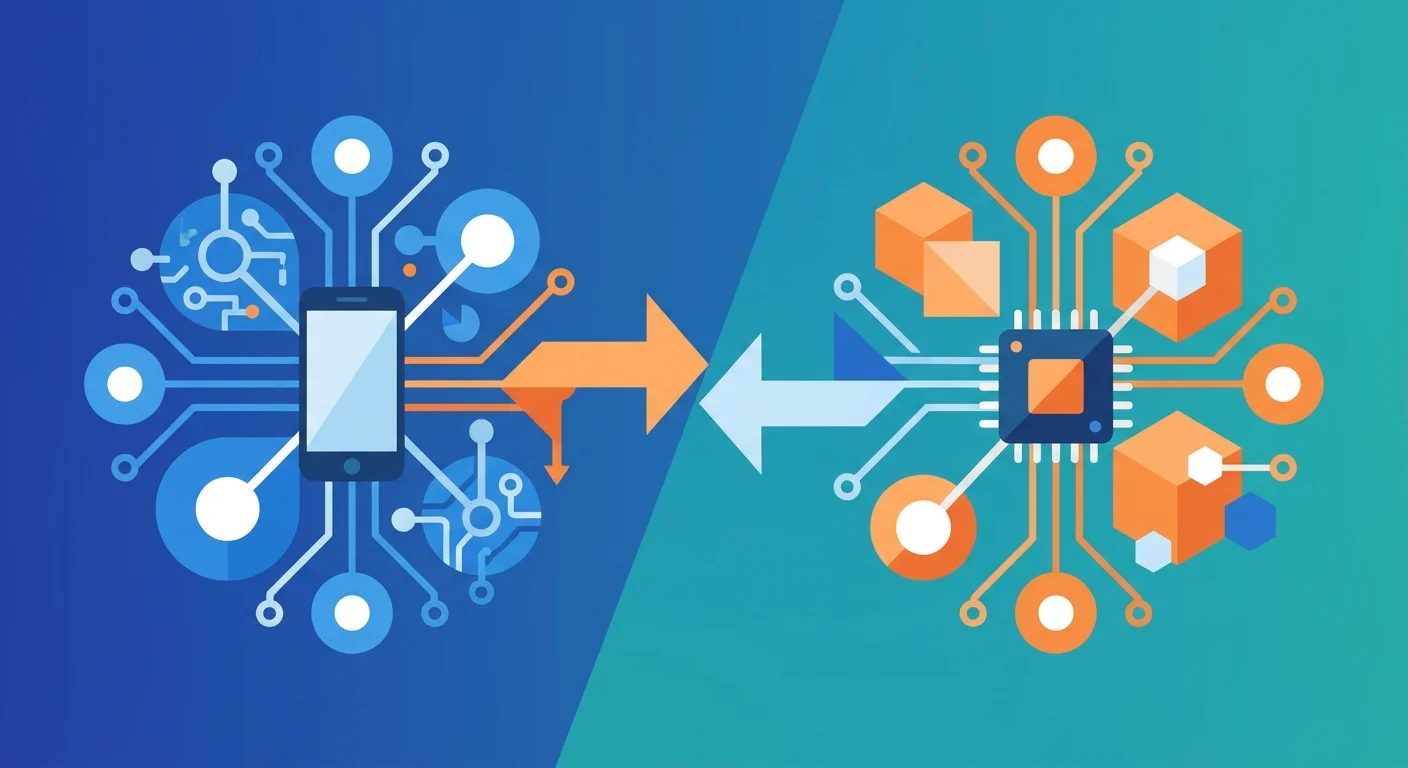
TL;DR: Phone-use AI agents operate real mobile apps by looking at the screen and injecting taps, swipes, and keystrokes. Mika does this on Android from a hidden background screen using the system's own debugging and accessibility hooks. ESP32 iPhone Agent does it on iOS from outside the phone, with a $7 ESP32-S3 board acting as an AirPlay receiver and a USB mouse and keyboard. The platform decides the architecture. Android lets an app reach inside, while iOS forces the agent to act like a person holding the phone.
Key Takeaways
- Two of the most-starred new GitHub agent projects this autumn are phone-use agents. Mika (Kotlin, Apache-2.0, created 2026-10-29) had about 6,600 stars by 2026-11-04. ESP32 iPhone Agent (C, MIT, created 2026-10-11) had about 4,400.
- Mika runs entirely on an Android 12+ phone. It enables Wireless debugging once to start a built-in helper, then operates apps on a separate background screen while you keep using the main one.
- ESP32 iPhone Agent never touches iOS internals. The board mirrors the screen over AirPlay to "see" and presents itself as a USB HID mouse and keyboard to "act", with AssistiveTouch turning mouse clicks into taps.
- Both projects are model-agnostic. Mika ships presets for more than 20 providers plus any OpenAI-compatible, Anthropic, Gemini, or OpenAI Responses endpoint, and the ESP32 agent accepts any OpenAI-compatible vision model.
- The bottleneck is the observation channel, not the model. The ESP32 agent's BLE link limits it to 480×1040 at 5 fps or less, and each step takes a few seconds. Neither agent can see screens the OS refuses to capture, such as payment and passcode screens.
- A phone agent holds your logged-in apps, so its safety model matters more than its benchmark. Mika's default "Ask" mode confirms only steps that spend money, which means messages, posts, and deletions run without asking.
What is a phone-use AI agent?
A phone-use AI agent is a loop that takes a screenshot of a mobile device, asks a model what to do next, and executes that action as a touch or keystroke on the real UI. It is the mobile equivalent of desktop "computer use". The agent works through the same interface a person does, not through app APIs.
The appeal is coverage. Most consumer apps (messaging, food delivery, ride hailing, job boards) have no public API, or one that excludes the actions users care about. A phone agent does not need one. As Mika's README puts it, it "looks at the screen and finds buttons the way a person does: no app APIs, no per-app integration."
The cost is the same as in browser automation: every step costs a model call, the UI can change under the agent, and recovering from mistakes is the agent's job. On a phone there are extra constraints. The OS sandboxes apps from each other, protected screens block capture, and the device is also the user's primary personal computer.
Why are phone-use agents trending in November 2026?
Two projects dominated this week's GitHub trending data for AI agents. Mika gained roughly 6,600 stars within a week of its 2026-10-29 creation. ESP32 iPhone Agent passed 4,300 stars in under a month. Both answer a question developers have been asking since desktop computer-use tools matured: can the same loop run on the device people actually use for most of their day?
The answer depends on the platform, and these two projects show the two possible answers clearly. On Android, the OS exposes hooks (developer options, accessibility services, secondary displays) that let one app operate others. On iOS, no such hook is available to third-party apps, so the only route that needs no jailbreak and no developer-signed automation is to act on the phone from outside, through standard peripherals.
How does Mika operate Android apps?
Mika is a Kotlin and Jetpack Compose app distributed as an APK. Chat, web browsing, and file work run on Android 11+. Operating other apps requires Android 12+, and the project recommends Android 14+.
Getting control. A one-time "Set up phone control" wizard walks the user through enabling Developer options, USB debugging, and Wireless debugging, then pairing with a 6-digit code. The setup guide explains that Mika "borrows Android's built-in 'Wireless debugging' to start a small built-in helper". After pairing, Mika turns on its own accessibility service, which avoids Android's "Restricted setting" block for sideloaded apps. No computer or cable is required.
Seeing. Mika reads the UI in layers. Where an app exposes readable UI, it uses that. For custom-drawn interfaces or unlabeled controls, it falls back to text recognition bundled in the APK. With a vision-capable model, it can also locate buttons and fields from screenshots.
Acting without stealing the screen. Most phone agents take over the display while they work. Mika instead "opens apps on a separate background screen and reads, taps, types and scrolls there while you keep using your phone." Android 14+ is recommended because the background screen gets its own input focus, so the agent's typing does not collide with yours. Several tasks can run at once. If two need the same app, the later one waits, and deadlocks between waiting tasks are detected rather than left hanging.
Getting faster with use. Mika ships with built-in usage knowledge for about two dozen apps and a similar number of websites (WeChat, WhatsApp, Gmail, Telegram, Uber, Amazon, YouTube, and others). It also turns tasks it has completed into reusable skills. This is the same "learned skill" pattern we examined in Hermes Agent's self-improving skill memory, applied to UI navigation.
Model access. There is no Mika server. Users bring an API key (presets include DeepSeek, Qwen, Kimi, Zhipu, MiniMax, OpenRouter, Anthropic, Gemini, OpenAI, xAI, Mistral, Groq, Ollama, and LM Studio) or sign in with a ChatGPT, xAI, or OpenRouter account. A local model on the same network works through the "Custom" provider option.
How does ESP32 iPhone Agent operate an iPhone?
ESP32 iPhone Agent takes the opposite route. Its tagline is "No Mac, no developer account, no jailbreak". The agent never runs anything privileged on iOS. It uses the iPhone exactly as a person with a mouse and a screen mirror would.
The README's architecture fits in three lines:
Eyes: AirPlay. The board opens its own Wi-Fi hotspot and appears in the iPhone's Screen Mirroring list as "ESP32 Agent". It does not decode video. It passes the H.264 stream through to the companion app over Bluetooth Low Energy. Because the phone's Wi-Fi is now joined to the board's hotspot, model calls go out over cellular data.
Hands: USB HID. The board plugs into the phone's USB-C port (Lightning models need a camera adapter) and enumerates as a standard mouse and keyboard. With AssistiveTouch enabled, iOS shows a pointer, so a click becomes a tap and a drag becomes a swipe.
Brain: an iOS app on the same phone. The app decodes the stream, sends screenshots to a vision model, and runs a planner and an actor. The actor's action space is tap, swipe, draw, type, press keys, go home, and finish. Planner and actor can use different models.
Closing the loop. A USB mouse reports relative movement, so the app cannot simply "tap at (x, y)". It tracks the pointer, re-homes it in a screen corner, and, before precise taps, wiggles the pointer to find it on screen and correct the miss. After every action it waits for the screen to settle and tells the model whether anything changed. If the board, the hotspot, or the mirroring link drops, the run pauses and resumes from the same step.
The project's history makes the design point. Version 0.1.0 needed a Mac or Linux computer running an AirPlay receiver and a Python server. The current version moved the receiver onto the $7 board and the agent onto the phone itself. A separate esp32agent CLI exposes the board as an MCP server, so a coding agent such as Claude Code can drive the iPhone from a laptop over Bluetooth.
How do Mika and ESP32 iPhone Agent compare?
The table supports one practical conclusion: these are not competing products, they are the two shapes the problem takes. If you are on Android, Mika's in-device approach is more capable on almost every axis. It runs in parallel without taking over the screen and needs no extra hardware. If you are on iOS, an external-peripheral design like the ESP32 board is currently the only way to get a general agent operating arbitrary apps without a jailbreak, and its constraints follow from that.
Why is the observation channel the real bottleneck?
Model quality gets the attention, but in both projects the hard engineering sits in getting pixels in and touches out reliably.
The ESP32 agent states its budget plainly. BLE carries about 300–500 kbps, so the mirror is small (480×1040, ≤5 fps) and "each step takes a few seconds, most of it the model." Small frames help token cost and latency, but fine text and small icons are harder for a vision model to read. The pointer-correction loop exists because a relative mouse plus a low-frame-rate mirror means the agent is never quite sure where its finger is. That is a classic closed-loop control problem, solved by measuring after acting rather than trusting the command.
Mika's layered perception (structured UI first, OCR second, vision third) points the same way. A model that reads a list of labeled elements makes fewer mistakes per step than one guessing coordinates from a screenshot. This mirrors the split in browser agents between accessibility-snapshot tools and screenshot-based tools. Pick the richest observation the platform gives you, and fall back to pixels only when you must.
Two failure modes are shared and fixed by the OS, not the agent:
- Protected screens are invisible. iOS does not mirror passcode entry, Apple Pay, or DRM video. Android payment and password pages block screenshots. Both projects hand these steps to the human. That is the correct behavior, and it is not a bug to engineer around.
- The observation channel is fragile. Android turns Wireless debugging off when you change networks or restart (Mika re-enables it with permission). AirPlay mirroring stops when an iPhone locks. Any production-minded phone agent needs explicit pause-and-resume semantics, which both projects implement.
How should you think about phone-agent security?
A phone agent is the most privileged agent most people will ever run. It inherits every logged-in session on the device: messaging, email, banking, shopping, social accounts. Every screen it reads is untrusted input. A chat message, a product listing, or a web page can contain text aimed at the model rather than the user. That is the same indirect prompt-injection setup behind GitLost, on a device that holds all three legs of the lethal trifecta by default: private data, untrusted content, and outbound channels.
Read the permission models carefully:
- Mika's default "Ask" mode confirms only steps that spend money. Its own docs say that "sending messages, posting, submitting forms, deleting and changing settings are not asked about; they are just done." "Autonomous" mode removes even the payment confirmation. Logins, verification codes, and payment passwords are always handed to the user.
- ESP32 iPhone Agent relies on supervision. Its responsible-use note says, "The agent acts with your hands: watch it, and keep the stop button within reach." The app also currently uses a private iOS API to send itself to the background, which the maintainers intend to replace before an App Store release.
Neither design is reckless for a personal tool, but neither is an authorization layer you could put in front of a business workflow. If you build on top of either, apply the principle from our LLM vs policy-engine authorization analysis. The model proposes, and a deterministic rule decides. On a phone, that means an allowlist of apps per task, a confirmation for any outbound message or post (not just payments), and no access to apps the task does not need.
A smaller but real point: automating third-party apps may violate their terms of service, and Mika's README says so directly. Batch actions such as greeting recruiters, posting, or watching ads for perks are exactly what platforms' anti-automation systems look for. Mika paces itself on websites and hands anti-bot block pages to the user instead of forcing through. Copy that behavior if you build your own.
When should you use a phone agent instead of an API or browser agent?
Use the most structured interface available, and drop to the phone only when nothing better exists:
- An official API or MCP server exists. Use it. It is faster, cheaper, auditable, and does not break when the UI is redesigned.
- The service has a full-featured website. Use a browser agent. DOM and accessibility snapshots give a richer observation than a phone screenshot. (Mika's built-in desktop-class browser follows the same logic inside the phone.)
- The capability exists only in a mobile app. That is the phone agent's territory. Examples are app-only messaging, delivery and ride apps, and on-device settings like alarms. Also consider phone agents for testing your own mobile app's real user flows, where operating the real UI is the whole point.
For the third case, pick by platform: an in-device agent like Mika on Android, an external-peripheral agent like ESP32 iPhone Agent on iOS. Budget for a few seconds and one model call per step. A ten-step task is closer to a minute than to an instant, so phone agents suit errands you would otherwise do by hand, not latency-sensitive automation.
What should engineers building phone agents copy from these two projects?
Several design choices are worth copying, whatever platform you target:
- Verify after every action. The ESP32 agent checks whether the screen changed and corrects pointer misses. An agent that assumes its last tap worked compounds errors quickly.
- Make runs resumable. Both projects pause on a lost connection or a hand-off to the human and resume from the same step. Mika's stop-time wrap-up ("what it did, what it saw, how many times it sent something, and what is left") makes a later "continue" safe.
- Record everything. Step-by-step replay with drawn taps (ESP32) and per-step inspection in chat (Mika) are what make a non-deterministic agent debuggable. They are also the raw material for the trace-to-regression-test workflow any serious agent needs.
- Separate the human's screen from the agent's. Mika's background screen is the biggest usability step in this category. An agent that blocks the phone for minutes is one people stop using.
- Keep prompts as editable data. The ESP32 project ships its planner and actor prompts as plain text files, so you change behavior by editing a file, not by rewriting code.
- Expose the device as a tool. Both projects let a desktop coding agent drive the phone over MCP. The phone becomes one more tool in a larger agent, not a separate product.
What does this mean for the future of mobile AI agents?
These projects show that general phone-use agents are now buildable by small open-source teams with off-the-shelf models and, on iOS, a $7 board. What they cannot solve is that the OS is not designed for an agent as a first-class user. Android's route runs through developer options. iOS's route runs through accessibility features and USB peripherals meant for people with motor impairments. Both work, but both rely on mechanisms built for other purposes.
Until mobile platforms offer a sanctioned agent interface with scoped permissions per app, the engineering priorities are clear. Invest in reliable observation and verification, make every run resumable and replayable, and put deterministic limits on what the agent may send or spend. The model is the easy part.
FAQ
What is the difference between Mika and ESP32 iPhone Agent?
Mika is an Android app that operates other apps from inside the phone. It uses Wireless debugging and its own accessibility service to drive apps on a hidden background screen. ESP32 iPhone Agent operates an iPhone from outside, with an ESP32-S3 board that receives an AirPlay mirror of the screen and acts as a USB mouse and keyboard. The difference follows from what each OS allows.
Does ESP32 iPhone Agent require a jailbreak or a Mac?
No. The project needs no jailbreak and no Mac at run time. A Mac with Xcode is needed only to flash the board and build the app yourself. The board can instead be flashed from Chrome or Edge, and the app is available through TestFlight. The iPhone needs iOS 18 or later and cellular data, because its Wi-Fi is joined to the board's hotspot while the agent runs.
Which AI models work with phone-use agents like Mika?
Mika supports presets for more than 20 providers, including Anthropic, OpenAI, Gemini, DeepSeek, Qwen, Kimi, xAI, Mistral, Groq, Ollama, and LM Studio. It also accepts any OpenAI-compatible, Anthropic, Gemini, or OpenAI Responses endpoint. ESP32 iPhone Agent works with any OpenAI-compatible chat API that accepts images, including self-hosted vLLM, SGLang, llama.cpp, or Ollama servers.
Can a phone AI agent make payments or log in for me?
Neither project automates logins, verification codes, or payment passwords. Both hand those steps to the user, partly because the OS blocks screen capture on those pages. Mika's default Ask mode also asks before placing an order, but it does not ask before sending messages, posting, or deleting. Review those defaults before giving a phone agent access to important accounts.
Are phone-use AI agents safe to use?
They are as safe as their permission model, and by default that model is broad. A phone agent can act in every app you are logged into, and every screen it reads may contain prompt-injection text. Use confirmation modes, watch runs on important accounts, limit tasks to the apps they need, and remember that automating third-party apps may breach their terms of service.
How fast are phone-use AI agents?
Expect a few seconds per step, mostly spent waiting on the model. ESP32 iPhone Agent mirrors the screen at up to 5 fps over a 300–500 kbps Bluetooth link, so a multi-step task usually takes tens of seconds to minutes. Mika avoids blocking the user by working on a background screen, which matters more for usability than raw step speed.
Sources
Subscribe to the newsletter
About the Author
Aaron is an engineering leader, software architect, and founder with 18 years building distributed systems and cloud infrastructure. Now focused on LLM-powered platforms, agent orchestration, and production AI. He shares hands-on technical guides and framework comparisons at fp8.co.
Cite this Article
Related Articles
Browser Use vs Stagehand vs Playwright MCP (2026)
Browser Use vs Stagehand vs Playwright MCP compared on code, token cost, and workflow fit — pick the right AI browser automation tool in 2026.
AI EngineeringAI Agent Authorization: Don't Let the LLM Decide
Using an LLM to authorize agent actions duplicates your attack surface. Why deterministic policy engines like Cedar and OPA belong in the decision path.
AI EngineeringGitLost: How Prompt Injection Leaks Private GitHub Repos
GitLost tricked a GitHub AI agent into leaking a private repo via a single issue. How indirect prompt injection works — and how to actually stop it.
AI Engineering