Vercel AI SDK vs LangChain.js: TypeScript LLM Apps
Vercel AI SDK 7 vs LangChain.js 1.6 head to head: streaming UI, tools, agents, structured output, RAG, and when to combine both in one TypeScript app.
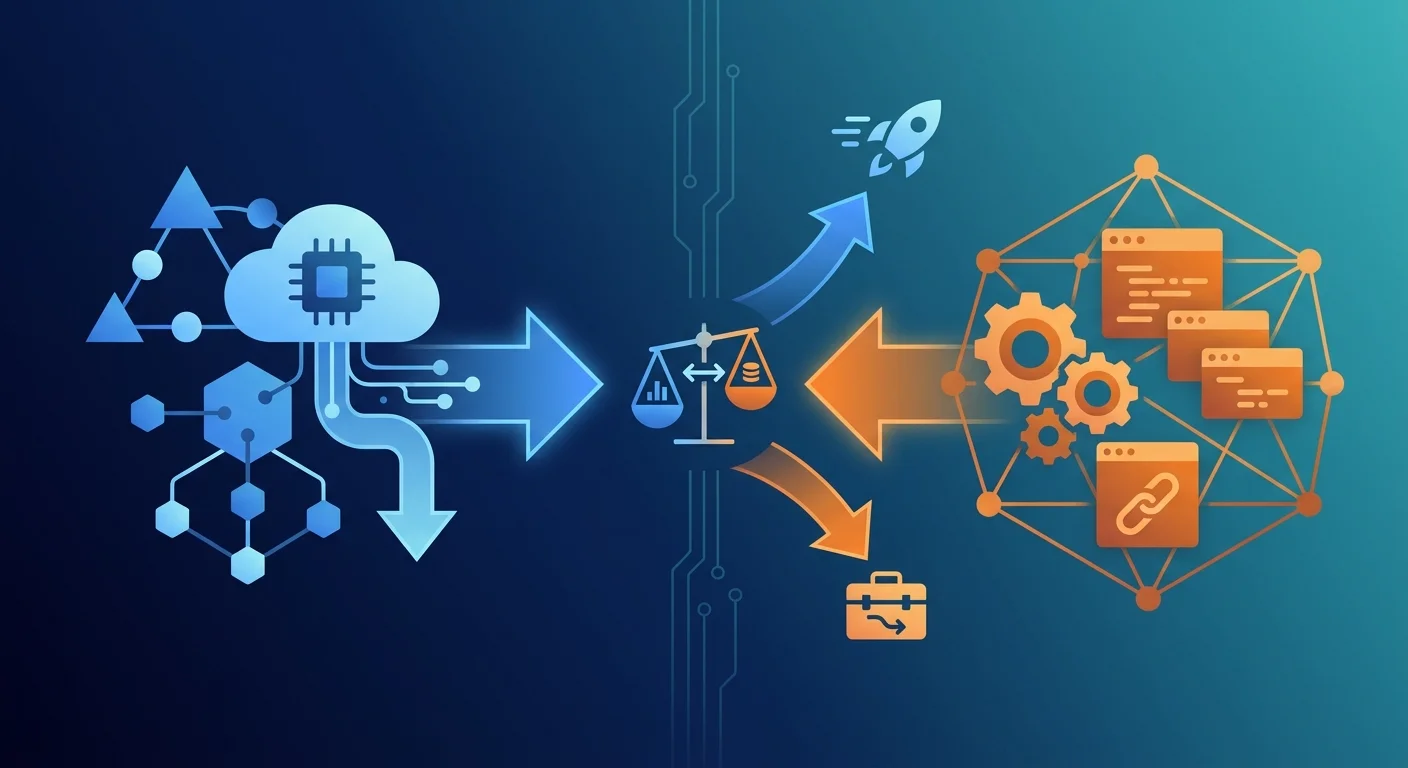
TL;DR: Vercel AI SDK is a thin, provider-agnostic TypeScript toolkit for calling models, streaming to a UI and running tool loops. LangChain.js is a broader framework with agents, middleware, retrieval integrations and the LangGraph.js runtime for stateful workflows. Choose the AI SDK for web apps where streaming chat UX matters most. Choose LangChain.js when orchestration, RAG pipelines or durable human-in-the-loop dominate. Many production apps use both.
Key Takeaways
- The Vercel AI SDK (`ai`, version 7, Apache-2.0) and LangChain.js (`langchain`, version 1.6, MIT) overlap at the model-call and tool-loop layer but diverge sharply above it.
- The AI SDK owns the browser: `useChat` and the UI message stream protocol give you streaming chat, tool-call rendering and approvals in React, Vue, Svelte and Angular with very little code.
- LangChain.js owns orchestration: `createAgent` runs on LangGraph.js, so you get checkpointers, `interrupt()`-based approvals, middleware and the largest integration catalog in the JavaScript ecosystem.
- Both now cover agents, structured output and tool approval natively, so "LangChain for agents, AI SDK for chat" is no longer a hard rule; the deciding factor is how much state your app must persist between turns.
- The official `@ai-sdk/langchain` adapter streams LangChain and LangGraph output into `useChat`, so combining the two is a supported pattern rather than a hack.
- For most Next.js products, start with the AI SDK and add LangGraph.js only when a workflow needs durable state, branching or long-running pauses.
What are the Vercel AI SDK and LangChain.js?
Both libraries help TypeScript developers turn a model API into a working product. They come from different directions, and that origin still shapes their design in late 2026.
The Vercel AI SDK is an open-source TypeScript toolkit maintained by Vercel. Its core package, ai, reached version 7 in June 2026 and is at 7.0.162 as of this writing. It is Apache-2.0 licensed and pulled roughly 43.7 million npm downloads in the last week of October 2026. The SDK has three layers: AI SDK Core (generateText, streamText, tools and structured output), AI SDK UI (framework hooks like useChat in @ai-sdk/react), and Agents (the ToolLoopAgent class). Model access goes through provider packages such as @ai-sdk/anthropic and @ai-sdk/openai, or through the Vercel AI Gateway using plain provider/model strings. Despite the name, nothing requires you to deploy on Vercel; the SDK runs on Node.js, Bun, Deno, Cloudflare Workers and other edge runtimes.
LangChain.js is the JavaScript and TypeScript implementation of LangChain, MIT licensed, with langchain at version 1.6.1 and @langchain/core at 1.3.4. The langchain package logged about 4 million weekly npm downloads in the same period, and @langchain/core about 8.3 million, because many other libraries depend on it. Since the 1.0 release its primary entry point is createAgent, which builds a tool-calling agent on top of LangGraph.js (@langchain/langgraph, version 1.6.1). LangGraph provides graph state, checkpointers, interrupts and streaming modes. LangChain.js also ships the deepest catalog of integrations in JavaScript: chat models, embeddings, vector stores, document loaders, text splitters and retrievers.
The short version: the AI SDK began as a way to stream model output into a React component and grew agent features. LangChain began as a way to compose LLM pipelines and grew a production runtime. Both reach the middle from opposite ends.
How do the Vercel AI SDK and LangChain.js compare at a glance?
Read the table by row, not by total. Most rows are not "better or worse" but "different layer". The rows that usually decide the choice are UI integration, persistence and RAG building blocks.
How much code does a streaming chatbot take in each?
A streaming chat endpoint with one tool is the most common first task, so it shows the design difference most clearly.
Here is the AI SDK version as a Next.js App Router route handler:
And the client component:
That is the whole feature: streaming text, a multi-step tool loop capped at five steps, and message state on the client. Note two AI SDK 7 details. The system prompt is now passed as instructions (the older system option is deprecated), and the loop stop condition is isStepCount(). Without stopWhen, streamText stops after a single step, so a tool call would end the response before the model sees the result.
The LangChain.js version of the same agent looks like this:
The agent definition is just as short, and the @ai-sdk/langchain adapter means the same useChat component works unchanged. What you cannot get from LangChain alone is the client half: LangChain.js has no first-party React hook for chat state, tool-call rendering or optimistic updates. That gap is the single most important fact in this comparison for web developers.
How do agents and tool loops differ?
Both libraries now ship a real agent abstraction, so the question is no longer "can it run agents?" but "where does agent state live?"
AI SDK agents are a loop around a model call. ToolLoopAgent packages the model, instructions, tools and a stop condition into a reusable object with generate() and stream() methods. Its default stop condition is isStepCount(20). Between steps you can hook in with prepareStep to swap models, trim context or restrict activeTools. State lives in the message array you pass in and get back. If the server restarts mid-run, the run is gone; resuming means sending the conversation again.
LangChain agents are a graph with a checkpointer. createAgent compiles a LangGraph graph: a model node, a tools node and edges between them. Middleware wraps those nodes to add summarization, retries, PII redaction, model fallback or approval gates. Because it is LangGraph underneath, adding a checkpointer and a thread_id makes every step durable. A run can pause, survive a deploy, and resume from the last completed node.
The practical rule: if a single HTTP request can finish the job, the AI SDK loop is simpler and faster to reason about. If a job spans minutes, multiple users or a human approval that may arrive tomorrow, LangGraph's persistence model saves you from building one yourself.
How do they handle human-in-the-loop tool approval?
Approval gates are where the two designs differ most visibly.
In the AI SDK, you mark a tool with needsApproval: true, or pass a function that decides per input. When the model calls it, the stream emits an approval request as a message part. Your useChat UI renders Approve and Deny buttons, and the user's decision goes back with the next request. The approval lives in the chat transcript. That is ideal for interactive chat, where the user is present.
In LangChain.js, you add humanInTheLoopMiddleware({ interruptOn: { delete_record: true } }) to the agent and compile it with a checkpointer. When the tool is about to run, LangGraph raises an interrupt(), saves state, and returns. Some time later, possibly from a different process, you resume the thread with the decision. That is ideal for back-office workflows where the approver is not watching the stream.
Neither is strictly better. The AI SDK model is session-scoped and UI-native; the LangChain model is durable and UI-agnostic.
How does structured output compare?
Both libraries accept Zod schemas and return typed objects, so day-to-day ergonomics are close.
The AI SDK 7 pattern is to pass an output setting to generateText or streamText. The standalone generateObject function still exists but is deprecated in favor of this approach:
With streamText, partialOutputStream yields partially filled objects as tokens arrive, which is what lets a form or card render progressively in the browser.
LangChain.js puts structured output on the agent: createAgent({ ..., responseFormat: schema }) returns structuredResponse after the tool loop finishes. You can choose providerStrategy to use a model's native JSON schema mode or toolStrategy to emulate it through a tool call on models without one. That choice matters for multi-provider apps, because native structured output support still varies by provider.
Which is better for RAG and document pipelines?
LangChain.js, clearly, if you want building blocks rather than a blank page.
LangChain ships document loaders for PDFs, web pages, Notion, S3 and dozens of other sources, text splitters that respect markdown and code structure, and vector store integrations for pgvector, Pinecone, Qdrant, Chroma, Weaviate and more. A retriever can be wrapped as a tool and handed to createAgent in a few lines.
The AI SDK gives you embed and embedMany and leaves storage and retrieval to you. That is a deliberate choice, and for many teams it is fine: a Postgres table with pgvector and a 20-line retrieval function is easy to own. But if your roadmap includes ingesting many source types, hybrid search or re-ranking, LangChain's integrations remove weeks of plumbing. For retrieval-heavy products, also consider LlamaIndex.TS, which we cover in our JavaScript and TypeScript GenAI frameworks comparison.
What is the best AI SDK for web apps?
For a typical web app, the Vercel AI SDK is the best default. Web apps live or die on perceived latency and interaction quality, and that is exactly the layer the AI SDK designs for.
Concretely, the AI SDK gives web teams four things LangChain.js does not ship:
- Framework hooks. `useChat`, `useCompletion` and `useObject` manage message state, loading status, aborts and errors, with versions for React, Vue, Svelte and Angular.
- A typed message protocol. `UIMessage` parts distinguish text, reasoning, tool calls, tool results, files and custom data, so you can render a tool call as a component instead of parsing strings.
- Edge-friendly streaming. The response helpers return a standard `Response`, which works in Next.js route handlers, Cloudflare Workers and other Web-standard runtimes.
- Generative UI patterns. Typed tool parts let you map a tool such as `getWeather` to a `
` component rendered inline in the chat.
LangChain.js becomes the better pick for a web app when the "app" is mostly a front end on top of a long-running back-end process: a research agent that runs for ten minutes, an approval workflow, or a multi-agent pipeline. In that case the UI is a thin client and the orchestration is the product.
Can you use the Vercel AI SDK and LangChain.js together?
Yes, and it is a common production architecture. The @ai-sdk/langchain package exposes three helpers:
- `toBaseMessages()` converts AI SDK `UIMessage` arrays into LangChain messages.
- `toUIMessageStream()` converts a LangChain model stream, a LangGraph `stream()` or a `streamEvents()` iterator into the AI SDK UI message stream.
- `convertModelMessages()` converts AI SDK model messages for LangChain consumption.
The resulting split is clean: useChat and the route handler belong to the AI SDK; the agent, its middleware, retrievers and checkpointer belong to LangChain. You keep the AI SDK's front-end ergonomics and LangGraph's durable execution.
The cost is two dependency trees and two mental models. Model strings differ (anthropic:claude-sonnet-5-5 in LangChain, anthropic/claude-sonnet-5-5 for the AI Gateway), tool definitions differ (tool() with schema vs tool() with inputSchema), and observability splits between OpenTelemetry and LangSmith unless you route both to one backend. Only take on that cost when you need what each side uniquely provides.
What about performance, bundle size and lock-in?
Overhead. Model latency dominates both. In practice, per-step framework overhead is in the low milliseconds for either library and invisible next to a multi-second model call. Measure time-to-first-token in your own deployment before optimizing; the biggest wins usually come from prompt caching, smaller models for routing steps, and fewer tool round trips, not from switching frameworks.
Bundle size. The client-side cost of the AI SDK is the hook package; the core and providers stay on the server. LangChain.js runs on the server in nearly every deployment, so its size mainly affects cold starts on serverless platforms. Import from specific entry points and install only the provider packages you use in both cases.
Lock-in. Both are open source and provider-agnostic. Your real lock-in is to their message and tool formats, and to persisted state. Conversation transcripts stored as AI SDK UIMessage JSON, or LangGraph checkpoints, do not convert into each other cleanly. Keep business logic in plain functions that tools call, and switching costs stay low.
Which should you choose?
Choose by where your app's complexity lives. If it lives in the browser, in streaming, rendering and interaction, pick the Vercel AI SDK. If it lives on the server, in state, retrieval and long-running control flow, pick LangChain.js with LangGraph.js. If it lives in both places, use both.
Choose the Vercel AI SDK if:
- You are building a chat, copilot or assistant feature inside a Next.js, SvelteKit, Nuxt or similar web app.
- Streaming UX, tool-call rendering and generative UI matter more than long-running orchestration.
- A request-scoped tool loop is enough, and you are happy storing conversations in your own database.
- You want the smallest API surface to learn and to keep across model providers.
Choose LangChain.js (with LangGraph.js) if:
- Agent runs must be durable across restarts, pause for asynchronous approvals, or branch and loop back.
- You need many document loaders, vector stores or retrievers without writing the adapters.
- Your team also runs LangChain in Python and wants shared concepts, or already relies on LangSmith.
- You want middleware for cross-cutting agent behavior such as summarization, guardrails and model fallback.
Use both if:
- The product has a rich chat front end and a stateful agent back end. Put `useChat` on top, LangGraph underneath, and connect them with `@ai-sdk/langchain`.
If you are weighing a third, more opinionated option for the back end, read our Mastra vs LangChain.js comparison; Mastra builds on AI SDK provider interfaces and sits between the two in philosophy. For lower-level choices between provider SDKs, see the best LLM SDK for TypeScript apps.
Frequently Asked Questions
What is the difference between the Vercel AI SDK and LangChain.js?
The Vercel AI SDK is a lightweight TypeScript toolkit focused on model calls, streaming and UI hooks such as useChat, with a simple tool-loop agent. LangChain.js is a broader framework whose createAgent runs on LangGraph.js, adding middleware, checkpointers, durable human-in-the-loop and a large catalog of retrieval integrations. The AI SDK optimizes the front end; LangChain optimizes orchestration.
Is the Vercel AI SDK better than LangChain for web apps?
For most web apps, yes. The AI SDK ships first-party hooks for React, Vue, Svelte and Angular, a typed message protocol for rendering tool calls, and Web-standard streaming responses. LangChain.js has no first-party UI layer. LangChain becomes the better choice when the web app fronts a long-running, stateful agent workflow.
Can I use the Vercel AI SDK without deploying on Vercel?
Yes. The AI SDK is an Apache-2.0 open-source library that runs on Node.js, Bun, Deno, Cloudflare Workers and other runtimes. Provider packages call model APIs directly. The Vercel AI Gateway is optional; you can pass provider model objects such as anthropic("claude-sonnet-5-5") instead of gateway strings.
Does LangChain.js work with useChat?
Yes, through the official @ai-sdk/langchain adapter. Convert incoming UIMessage arrays with toBaseMessages(), stream your LangChain agent or LangGraph graph, wrap the stream with toUIMessageStream(), and return it with createUIMessageStreamResponse(). The same useChat component then renders LangChain output without changes.
Which is better for AI agents, the AI SDK or LangChain.js?
It depends on how long the agent runs. The AI SDK's ToolLoopAgent is simpler and fits agents that finish within one request. LangChain's createAgent on LangGraph.js fits agents that need persistence, resumable approvals, branching or multi-agent coordination, because checkpointers save state after each step and runs can resume after a restart.
Should I migrate from LangChain.js to the Vercel AI SDK?
Only if you mainly use LangChain for model calls and streaming, and none of its retrievers, middleware or LangGraph persistence. In that case the AI SDK reduces dependencies and gives you better UI integration. If you rely on checkpointers or many integrations, keep LangChain for the back end and add the AI SDK for the front end instead.
Sources
- AI SDK documentation
- AI SDK agents overview
- AI SDK tools and tool calling
- AI SDK generating structured data
- AI SDK UI chatbot guide
- AI SDK LangChain adapter
- Vercel AI SDK GitHub repository
- LangChain.js agents documentation
- LangChain.js structured output
- LangChain.js human-in-the-loop
- LangGraph.js overview
- LangChain.js GitHub repository
Subscribe to the newsletter
About the Author
Aaron is an engineering leader, software architect, and founder with 18 years building distributed systems and cloud infrastructure. Now focused on LLM-powered platforms, agent orchestration, and production AI. He shares hands-on technical guides and framework comparisons at fp8.co.
Cite this Article
Related Articles
Mastra vs LangChain.js: TypeScript Agent Frameworks
Mastra vs LangChain.js and LangGraph.js for production TypeScript agents: workflows, memory, human-in-the-loop, deployment, and when to pick each.
AI EngineeringBest LLM SDK For TypeScript Apps: A Deep Dive
Compare Anthropic SDK, OpenAI SDK, Vercel AI SDK, and AWS Bedrock SDK for TypeScript apps. Which LLM SDK wins on type safety, streaming, and production features?
AI EngineeringJS/TS GenAI Frameworks: 2026 Comparison
Compare top JS/TS GenAI frameworks for 2026. Vercel AI SDK, LangChain.js, Mastra, GenKit, and LlamaIndex.TS benchmarked.
AI Engineering